I've been working in Nomad Sculpt daily since 2021. 248+ projects, mostly 3D typography, material experiments, and visual pieces. All on iPad. These are the five things I wish I'd known from the start.
1. Triplanar mapping changes everything
If your materials look stretched or distorted on curved surfaces, you're missing this one setting. Triplanar projects the texture from three directions and blends at the seams. No UV mapping needed.
I didn't find this for months. Once I turned it on, every material just worked. It's in the Material Menu under mapping options. Turn it on, leave it on.
2. Voxel remesh before you refine
Booleans, merges, tube tool operations. They all create messy topology. Voxel remesh cleans it up in one tap.
Most of my lettering projects start with the tube tool or extruded shapes, then get merged and combined. Every time I merge, I remesh. It feels destructive, but the result is a clean mesh you can actually work with.
3. Apply materials early, not at the end
Don't work in flat grey and only add materials when you're "done." A metallic surface reveals imperfections that grey hides. A wood grain shows if your texture scale is off. A glass material changes how light moves through your scene.
I apply a rough material within the first few minutes. It's not the final look. It's a reality check while I'm still shaping things.
4. Lighting is half the render
The default light in Nomad Sculpt is flat. Everything looks mediocre under it. Before you decide your piece looks bad, set up proper lighting.
HDRI environment for reflections. At least one directional light for shadows. Rim light for edge separation. I work with the post-processing panel open from the start: AO, bloom, depth of field. The same letters look completely different with good lighting versus default.
5. Work big to small
Get the overall composition right before you refine any single element. I see beginners spend an hour detailing one letter when the spacing between all of them is off.
Start with primitives or basic tube shapes. Step back, check the whole arrangement. Once the composition works from every angle, then go in and add surface detail, material variation, and final touches.
What's next?
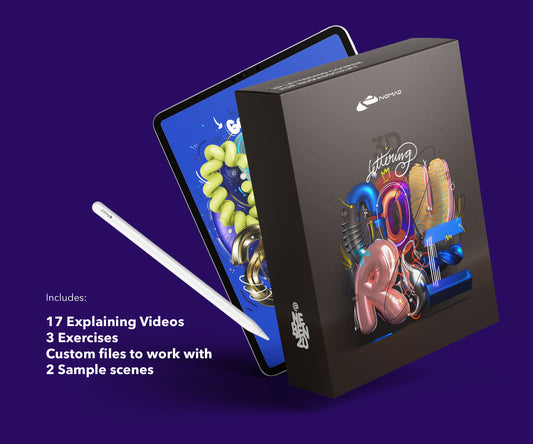
If you want to go deeper, the Techniques Course covers 3D typographic visuals on iPad: materials, lighting, rendering. The Lettering Course starts from zero and walks through building 3D letterforms step by step.
About the Creator
nebenzu is run by Ben, a Munich-based designer and 3D artist with a community of 128,000+ followers across Instagram, TikTok, Threads, YouTube, and X, focused on Nomad Sculpt workflows. The courses come from years of daily work in Nomad Sculpt, creating 3D typography, materials, and visual experiments.
You can find free tutorials and behind-the-scenes content on the nebenzu YouTube channel and Instagram.