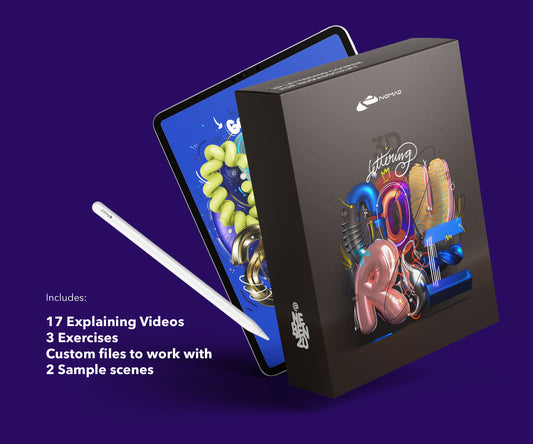
I use Adobe Fresco alongside Nomad Sculpt. Fresco for 2D textures, brush effects, and finishing touches. Nomad Sculpt for the 3D work. Different tools, different strengths.
Here are the brushes that are actually worth using in 2026.
What comes with Fresco
Adobe Fresco ships with a decent set of pixel and vector brushes. The live brushes (oil and watercolor) are unique to Fresco and work well for organic textures. The default pixel brushes are fine for basic painting.
For most illustration work, the built-in set covers the basics. Where it falls short is specialty effects: multicolor gradients, texture stamps, and emoji/icon sets.
Free brushes worth downloading
Kyle T. Webster's brushes come included with your Adobe subscription. Huge library, well-organized. His inking and sketching brushes are particularly good.
Adobe's own Fresco community shares free brush packs through Behance. Quality varies. Download a few, test them, delete what doesn't work. Don't hoard brushes you'll never use.
Premium brushes
Premium packs make sense when you need something specific that doesn't exist in the free libraries. Multicolor brushes that paint with gradient effects. Emoji stamp brushes for quick icon work. Texture brushes that mimic specific materials.
I built two brush packs for Fresco based on what I needed for my own work:
The Multicolor Brush Pack paints with multiple colors in a single stroke. Gradient effects, rainbow lines, color transitions. Useful for abstract work and adding color variation to illustrations.
The Emoji Brush Pack has 64+ hand-drawn emoji stamps. One stroke per emoji. Built these for adding playful elements to compositions without drawing each icon from scratch.

From my shop
Multicolor Brush Pack for Fresco
Gradient strokes and color transitions in a single stroke. I built these for my own work first.
See the pack – €14.99Or grab the free emoji brushesFree vs premium Fresco brushes: which do you actually need?
If you are just starting out, the free sets get you a long way. Grab the free nebenzu emoji brush set below, load it, and you can letter and illustrate the same day. Premium packs earn their price once you want consistent multicolor strokes, texture bristles, and packs that behave the same across every project, so you stop rebuilding brushes and start finishing work.
| Free brushes | Premium (Multicolor Brush Pack) | |
|---|---|---|
| Cost | Free | One-time purchase |
| Best for | Trying Fresco, first letters | Repeatable client-ready work |
| Multicolor strokes | Limited | Yes, built in |
| Texture / bristle range | Basic | Full set |
| Setup | Download, import, go | Download, import, go |
Start free with the free nebenzu emoji brushes, then upgrade to the Adobe Fresco Multicolor Brush Pack when you want multicolor strokes in one pass.
How to install brushes in Fresco
Download the .abr file to your iPad. Open Fresco, go to the brush panel, tap the "+" icon, and import. The brushes appear in a new set. You can reorganize them, rename the set, or delete individual brushes you don't need.
What to look for in a brush pack
Pressure sensitivity. Good brushes respond to Apple Pencil pressure for line variation. If every stroke looks the same regardless of pressure, the brush wasn't built for iPad.
Resolution. Low-res brushes pixelate on zoom. Look for packs built at high DPI.
Practical variety. Five useful brushes beat fifty mediocre ones. Quality over quantity.
Newsletter
Get new brushes first
I release new brush packs and free samples a few times a year. Sign up and you get them before anyone else. No spam, unsubscribe anytime.
Fresco vs Procreate brushes
They're not interchangeable. Fresco uses .abr format (shared with Photoshop). Procreate uses its own .brush format. A brush built for one won't work in the other.
If you work in both apps, you need separate brush sets for each.
Frequently asked questions
Where can I download free Adobe Fresco brushes?
You can download a free Fresco brush set directly from nebenzu (the free emoji brush pack, no cost). Import the .abr or Fresco brush file through the brush panel and it is ready in seconds.
Are free Fresco brushes good enough for real work?
For learning and personal projects, yes. Once you need consistent multicolor strokes and texture bristles across many pieces, a premium pack like the Multicolor Brush Pack saves rebuild time.
What is the best Adobe Fresco brush pack for lettering?
The Multicolor Brush Pack, because it carries color transitions inside a single stroke, which is exactly what clean lettering and type work need.
About the Creator
nebenzu is run by Ben, a Munich-based designer and 3D artist with a community of 128,000+ followers across Instagram, TikTok, Threads, YouTube, and X, focused on Nomad Sculpt workflows. The courses come from years of daily work in Nomad Sculpt, creating 3D typography, materials, and visual experiments.
You can find free tutorials and behind-the-scenes content on the nebenzu YouTube channel and Instagram.