I've been working in Nomad Sculpt on iPad for years. I've also tried every other 3D app on the App Store at some point. Most reviews list 15 apps and repeat the same feature bullet points. This one doesn't. Here are the apps that actually matter in 2026, ranked by what they're good at.
Nomad Sculpt
This is what I use daily. Full sculpting toolkit, PBR materials, real-time rendering, post-processing. You can go from a blank scene to a finished render without leaving the app.
50+ brushes. Triplanar material mapping. AO, bloom, depth of field, SSR. Exports OBJ, STL, glTF with materials intact. One-time purchase, around $15. No subscription.
The limitations are real: no animation, no CAD precision, no desktop version. But for sculpting and rendering on iPad, nothing else comes close.
I've built over 248 projects in this app. My courses and material packs are all made here.
ZBrush for iPad
The industry standard, now on iPad. If you need ZRemesher (automatic clean topology), hard surface tools, or need to handle 100M+ polygons, ZBrush is the one.
The trade-off: subscription pricing ($10-40/month), steeper learning curve, and the touch interface still feels like a desktop app squeezed onto a tablet. PBR rendering requires external tools.
If you already use ZBrush on desktop and want the same workflow on iPad, it makes sense. If you're starting fresh on iPad, Nomad Sculpt is easier to get into.
Shapr3D
Different category entirely. This is CAD, not sculpting. Precise dimensions, parametric modeling, STEP/IGES export. The closest thing to SolidWorks on a tablet.
Free tier with limited exports, Pro from $25/month. Great for product design and 3D printing prep. Not for organic 3D art.
Forger
Simpler sculpting app. Fewer tools than Nomad, cleaner interface. If Nomad feels overwhelming at first, Forger is a low-pressure way to start. Development pace is slower than the competition.
Reality Composer Pro
Apple's own 3D tools. Focused on AR and spatial computing for Vision Pro. Not a sculpting tool, but relevant if you're creating AR experiences. Scene composition and USDZ export. Limited compared to dedicated 3D apps.
CozyBlanket
Newer sculpting app, still early. Clean interface, some interesting brush mechanics. Worth watching but not mature enough to replace Nomad or ZBrush for serious work yet.
Plasticity
Precision CAD tool with subdivision surface modeling. Desktop-only right now but an iPad port has been discussed. If it ships, it could fill a gap between Shapr3D's pure CAD and Nomad's pure sculpting.
My take
For iPad 3D art, Nomad Sculpt is where I'd start. $15, no subscription, real results from day one. I've built everything from 3D typography to full material packs in it.
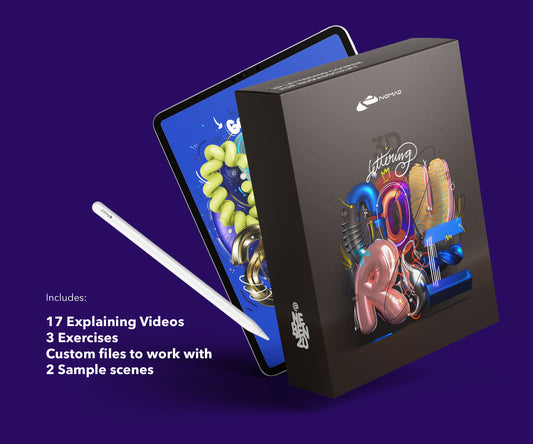
If you want to get into Nomad Sculpt properly, I have a beginner-friendly Lettering Course and an advanced Techniques Course on nebenzu.de.
About the Creator
nebenzu is run by Ben, a Munich-based designer and 3D artist with a community of 128,000+ followers across Instagram, TikTok, Threads, YouTube, and X, focused on Nomad Sculpt workflows. The courses come from years of daily work in Nomad Sculpt, creating 3D typography, materials, and visual experiments.
You can find free tutorials and behind-the-scenes content on the nebenzu YouTube channel and Instagram.