Glass is one of those materials that looks terrible until you get the settings right. I've spent a lot of time dialing in transparent and reflective materials for my typography work. Here's what actually matters.
The basic glass setup
Start with these settings in Nomad Sculpt's Material Menu:
Roughness at 0-5% for clear glass, 15-30% for frosted. Opacity at 85-95%. Never go full transparent. Real glass has some body to it. Turn on refraction. This is what makes glass look like glass instead of a transparent solid.
The trick most people miss: add a very subtle blue or green tint to the color. Real glass is never perfectly clear. Even a 2-3% tint makes a difference.
Environment matters more than settings
Glass only looks good when it has something to reflect and refract. A blank background with glass material gives you nothing. Add an HDRI environment. Put other objects around it. Glass needs context.
For my lettering pieces, I usually place the glass type on a reflective surface with an HDRI that has clear highlights. The combination of reflection from below and refraction through the letters creates the depth.
Frosted glass
Bump the roughness to 20-30%. The surface scatters light instead of passing it through cleanly. Works well for softer, more subtle type treatments.
You can mix frosted and clear on the same piece using the paint tool with masking. Clear glass on the face of each letter, frosted on the edges. Creates a nice contrast.
Colored and tinted glass
For colored glass, set your color to whatever tint you want but keep the saturation low. Real colored glass (wine bottles, stained glass) is much more muted than you'd expect. Oversaturated colors look like plastic, not glass.
Rainbow or gradient glass: paint different vertex colors across the surface, then apply the glass material on top. The transparency picks up the underlying color variation.
Common mistakes
Setting opacity to 100% transparent. Real glass isn't invisible. Keep it at 85-95%.
Forgetting refraction. Without it, you just have a see-through solid. Refraction bends light through the shape and makes it feel physical.
Bad lighting. Glass needs highlights and reflections to read as glass. Use an HDRI with bright spots. A matte, even environment makes glass look flat.
Combining with other materials
Some of my favorite pieces combine glass with metallic or matte materials. Gold letters with a glass drip effect. Matte concrete base with glass type on top. The contrast between opaque and transparent makes both materials look better.
The Smart Materials Pack includes several glass variations (clear, frosted, tinted) alongside metals and organics. Useful if you want to experiment without building each material from scratch.
What's next?
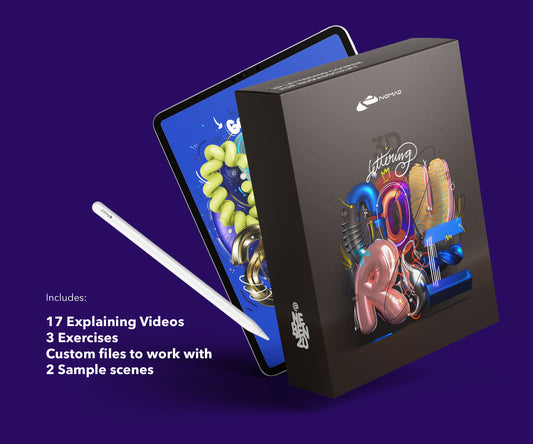
Glass is one technique. The Techniques Course covers the full range of material and lighting setups for 3D typographic visuals on iPad.
About the Creator
nebenzu is run by Ben, a Munich-based designer and 3D artist with a community of 128,000+ followers across Instagram, TikTok, Threads, YouTube, and X, focused on Nomad Sculpt workflows. The courses come from years of daily work in Nomad Sculpt, creating 3D typography, materials, and visual experiments.
You can find free tutorials and behind-the-scenes content on the nebenzu YouTube channel and Instagram.