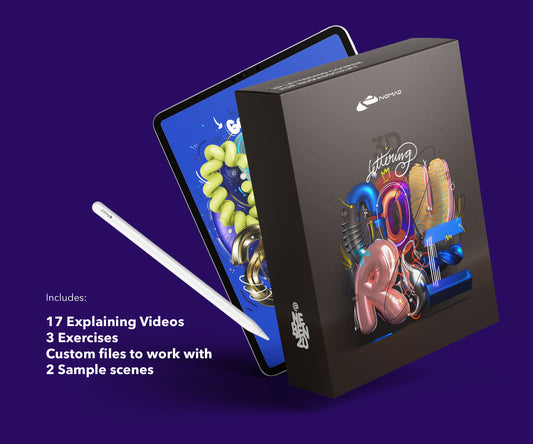
I made both of these courses. So this isn't a neutral review. But I can tell you exactly what's in them, who they're for, and when each one makes sense.
Lettering Course
7 modules, about 132 minutes of video. Starts from zero. If you've never opened Nomad Sculpt, this is where to begin.
The course walks through building 3D letterforms on iPad. You learn the tube tool, extrusion, boolean operations, materials, lighting, and rendering. Each module builds on the previous one. By the end, you can create a finished 3D lettering piece from scratch.
It's focused on typography, not general sculpting. If you want to make characters or organic models, this isn't the right course. If you want to create 3D type, visual experiments with letters, or material showcases, this is exactly that.
Price: EUR 44.99. View course details.
Techniques Course
5 modules, about 69 minutes. This one assumes you know the basics. It goes deeper on materials, lighting, and rendering for 3D typographic visuals.
Less hand-holding, more specific techniques. How to set up complex material combinations. Advanced lighting with multiple sources and HDRI environments. Post-processing in Nomad Sculpt: AO, bloom, depth of field.
I built this because people who finished the Lettering Course asked "what's next?" This is the answer. Same focus on typography and visual work, but more advanced execution.
Price: EUR 69.99. View course details.
Which one to pick
Never opened Nomad Sculpt? Start with the Lettering Course.
Already comfortable with the basics and want better renders? Go with the Techniques Course.
Both are self-paced, video-based, and focused on iPad. No fluff, no theory lectures. Just the process, recorded step by step.
What's not in the courses
Character sculpting. Animation. ZBrush workflows. Desktop 3D tools. These courses are specifically about creating visual typographic work in Nomad Sculpt on iPad. That's the niche, and I'd rather do that well than cover everything poorly.
Free alternatives
My YouTube channel has free tutorials and process videos. They cover individual techniques but aren't structured as a curriculum. The courses are the organized, start-to-finish version of what I share in bits on social media.
For a full breakdown of what Nomad Sculpt costs and how it compares, see the Nomad Sculpt pricing guide.
About the Creator
nebenzu is run by Ben, a Munich-based designer and 3D artist with a community of 128,000+ followers across Instagram, TikTok, Threads, YouTube, and X, focused on Nomad Sculpt workflows. The courses come from years of daily work in Nomad Sculpt, creating 3D typography, materials, and visual experiments.
You can find free tutorials and behind-the-scenes content on the nebenzu YouTube channel and Instagram.