I use both. Nomad Sculpt for everything I create on iPad. Blender when I need animation or physics. They're built for different things, and most "vs" articles miss that.
Short answer: if you work on iPad and want to make 3D art, start with Nomad Sculpt. If you need animation, simulation, or a full production pipeline, learn Blender. Most iPad artists will get more out of Nomad Sculpt.
Touch vs mouse
Nomad Sculpt was built for touch from the start. Working with your fingers or Apple Pencil on the model feels direct. No translation layer.
Blender was built for keyboard and mouse. Even with the iPad port, the menus are small, hotkeys don't translate to touch, and the interface fights you. For sculpting specifically, Nomad's touch input is faster.
Learning curve
Nomad Sculpt: you can start making things within 5 minutes. Interface is clean, tools are labeled, nothing hidden behind three submenus.
Blender: expect weeks to months before you're comfortable. It's powerful, but that power comes with complexity. The interface has improved a lot over the years, but it's still a professional tool with a professional learning curve.
Feature comparison
| Nomad Sculpt | Blender | |
|---|---|---|
| Sculpting | Excellent | Good |
| PBR materials | Built-in, easy | Node-based, complex |
| Rendering | Real-time PBR | Cycles/Eevee (better quality) |
| Animation | None | Full keyframe + rigging |
| UV mapping | Auto-UV | Manual + auto |
| Boolean ops | Yes | Yes (more options) |
| Physics/sim | None | Full (cloth, fluid, particles) |
| Export | GLB, OBJ, STL | Everything |
| Platform | iPad, Android | Windows, Mac, Linux |
| Price | ~$15 one-time | Free |

When Nomad Sculpt makes sense
You work on iPad. Your focus is sculpting and rendering stills. You want fast iteration. You're creating assets for social media, prints, or product shots. You want portability.
When Blender makes sense
You need animation. You're on a team with a production pipeline. You need physics simulation. You're building game assets with technical requirements. You're on desktop.
Using both
Many artists do. Common workflow: block out and texture in Nomad Sculpt on iPad (fast, tactile, portable), export to Blender for animation or final compositing. Both support GLB and OBJ, so file transfer is straightforward.

My take
For iPad artists, start with Nomad Sculpt. It's where I create all my work: smart materials, 3D lettering, experimental pieces. Touch-based sculpting on iPad is something Blender can't replicate.
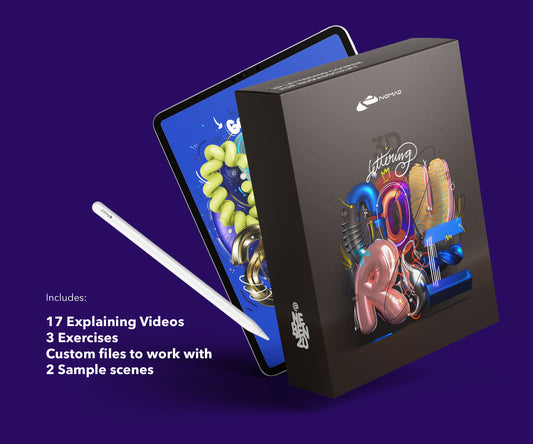
If you want to learn Nomad Sculpt properly, the Techniques Course covers 3D typographic visuals from materials and lighting to advanced rendering, all on iPad.
For a full breakdown of what Nomad Sculpt costs and how it compares, see the Nomad Sculpt pricing guide.

From my shop
Nomad Sculpt Techniques Course
Materials, lighting and rendering on iPad — the workflows I use for my own pieces.
View the course – €69.99Or try a free lesson firstAbout the Creator
nebenzu is run by Ben, a Munich-based designer and 3D artist with a community of 128,000+ followers across Instagram, TikTok, Threads, YouTube, and X, focused on Nomad Sculpt workflows. The courses come from years of daily work in Nomad Sculpt, creating 3D typography, materials, and visual experiments.
You can find free tutorials and behind-the-scenes content on the nebenzu YouTube channel and Instagram.