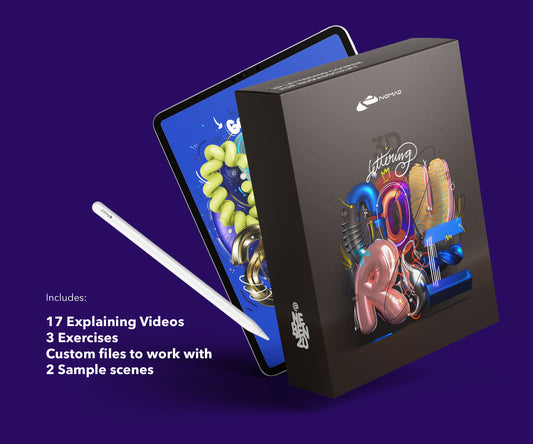
I get asked this a lot. I use Nomad Sculpt for all my work. I've tested ZBrush on iPad. They're different tools for different situations.
Price
Nomad Sculpt: $19.99, one-time. ZBrush for iPad: $9.99 per month, or $89.99 per year. Over a year, ZBrush costs $89.99 to $119.88. Over two years, Nomad Sculpt is still $19.99.
| Nomad Sculpt | ZBrush for iPad | |
|---|---|---|
| Price | $19.99 one-time | $9.99 / month or $89.99 / year |
| Cost in year 1 | $19.99 | $89.99 to $119.88 |
| Cost over 2 years | $19.99 | $179.98 to $239.76 |
| Updates | All future updates included | Included while subscribed, ends on cancellation |
| Model | Purchase | Subscription |
For most iPad artists, that price difference is the deciding factor.
If you are still deciding, start with the free Nomad Sculpt resources to get going before you spend anything on add-ons.
Touch interface
Nomad Sculpt was built for iPad from scratch. Every tool, every menu, every interaction was designed for touch and Apple Pencil. It feels native.
ZBrush was designed for desktop. The iPad version adapts that desktop interface to touch. It works, but the menus are small, the workflow assumes keyboard shortcuts, and some interactions feel like they were squeezed onto a tablet.
Where Nomad Sculpt is stronger
PBR materials and rendering are built in. Apply a material, set up lighting, render. All in one app. ZBrush doesn't do PBR rendering natively.
Faster to start working. Open the app, start creating. No complex setup, no license servers.
Better for visual and typographic work. My entire workflow (3D type, material experiments, rendered stills) lives in Nomad Sculpt. It handles everything I need.

Where ZBrush is stronger
Polycount. ZBrush handles tens of millions of polygons. Nomad Sculpt can too on newer iPads, but ZBrush was built for massive polygon counts.
ZRemesher. Automatic retopology that creates clean, animation-ready meshes. If you need to export models for game engines or animation pipelines, this matters. Nomad Sculpt doesn't have an equivalent.
Industry standard. If you're aiming for a job in games or VFX, studios use ZBrush. That matters for portfolios and team workflows.
For 90% of iPad artists
Nomad Sculpt. $19.99, no subscription, great rendering, and a touch-first interface. If you're creating art, renders, product shots, social media content, or visual experiments on iPad, Nomad Sculpt does the job.
ZBrush makes sense if you already use it on desktop, need ZRemesher for production pipelines, or are building a portfolio for the games/VFX industry.

From my shop
Nomad Sculpt Techniques Course
Materials, lighting and rendering on iPad — the workflows I use for my own pieces.
View the course – €69.99Or try a free lesson firstMy setup
Everything I create at nebenzu is made in Nomad Sculpt on iPad Pro M2. 248+ projects, two courses, a 64-material pack. The Techniques Course covers the workflows I use daily for 3D typographic visuals.
For a full breakdown of what Nomad Sculpt costs and how it compares, see the Nomad Sculpt pricing guide.
Frequently asked questions
How much does Nomad Sculpt cost?
Nomad Sculpt costs $19.99 as a one-time purchase on the App Store. There is no subscription, and all future updates are included.
Is Nomad Sculpt a subscription?
No. Nomad Sculpt is a one-time purchase of $19.99. Only ZBrush for iPad runs on a subscription, at $9.99 per month or $89.99 per year.
Is Nomad Sculpt worth the price?
For most iPad artists, yes. For less than what a single year of a ZBrush subscription costs, you get full sculpting, PBR rendering and a touch-first interface. The cheapest way to find out is to start with the free Nomad Sculpt resources to get going, then add a materials pack once you know you will stay.
About the Creator
nebenzu is run by Ben, a Munich-based designer and 3D artist with a community of 128,000+ followers across Instagram, TikTok, Threads, YouTube, and X, focused on Nomad Sculpt workflows. The courses come from years of daily work in Nomad Sculpt, creating 3D typography, materials, and visual experiments.
You can find free tutorials and behind-the-scenes content on the nebenzu YouTube channel and Instagram.